Account
English

OmniSide Chrome Extension Local Installation Guide
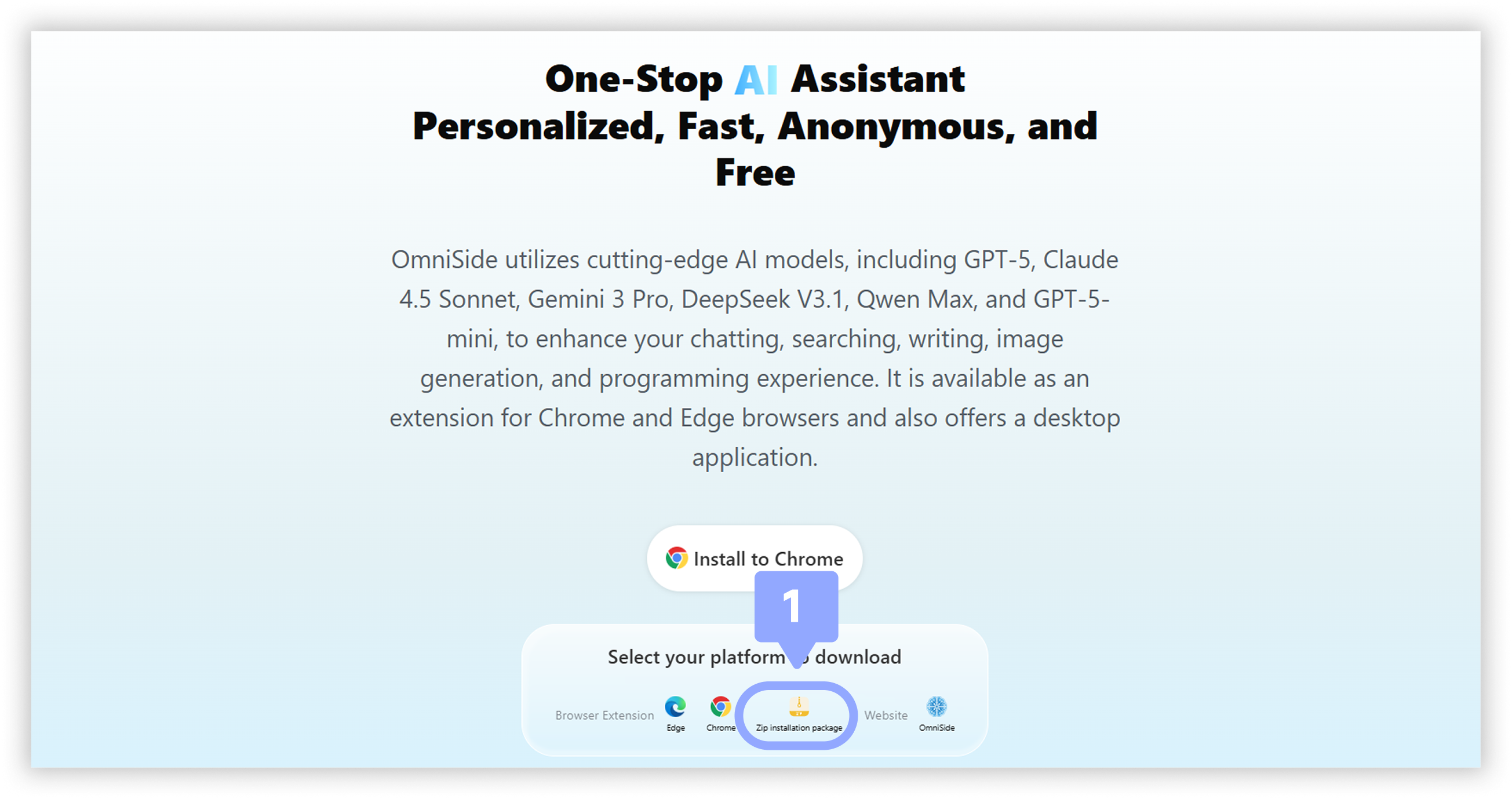
Follow these simple steps to install OmniSide extension on your browser
1
2
Open Extensions Management Page
Open the "Manage Extensions" page in Chrome and turn on "Developer Mode" in the upper right corner. Copy the following address and paste it into the browser address bar, then press enter.
chrome://extensions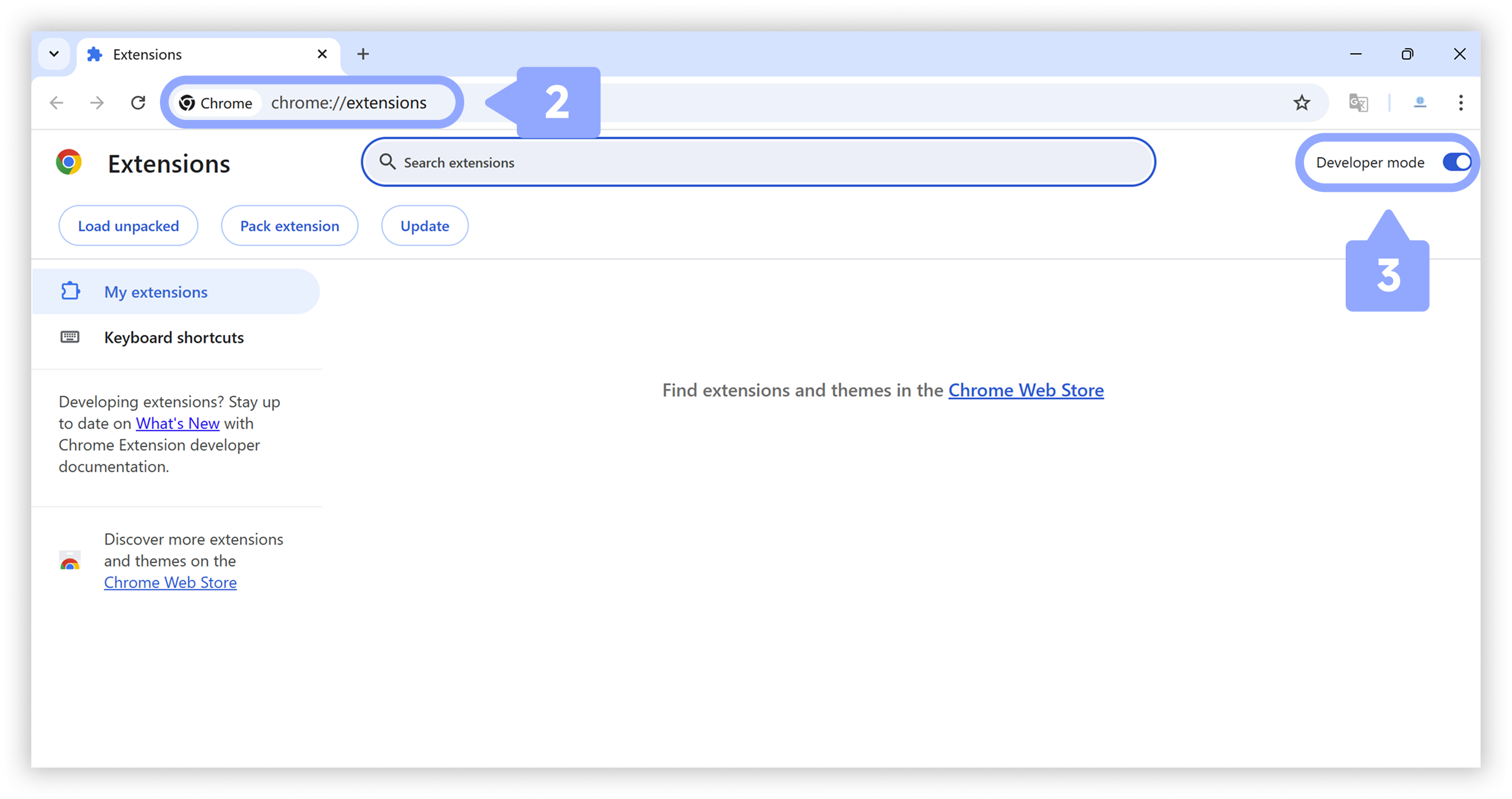
3
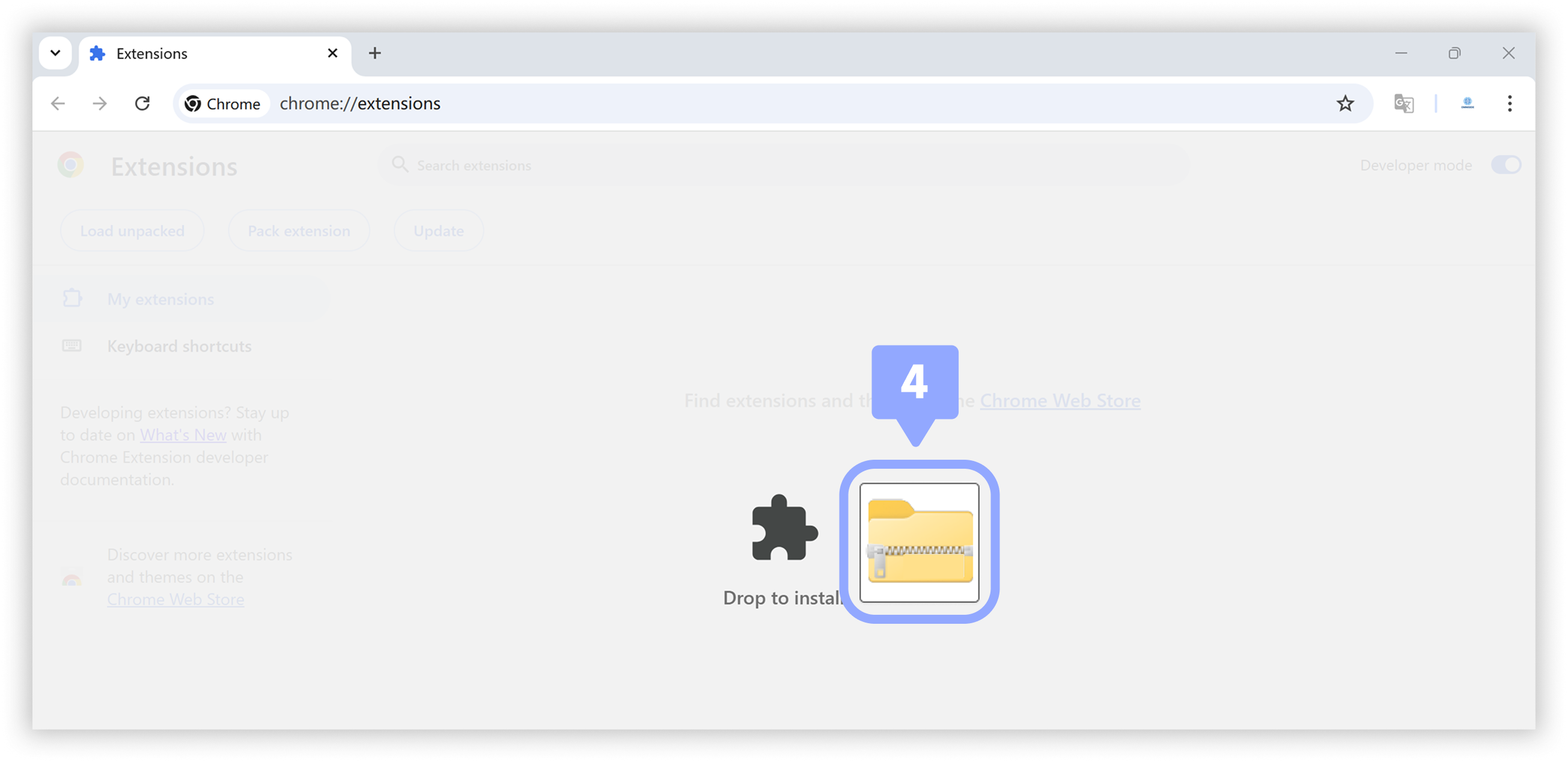
Install OmniSide Extension
Simply drag the downloaded installation package into the extensions management page to complete the installation.
4
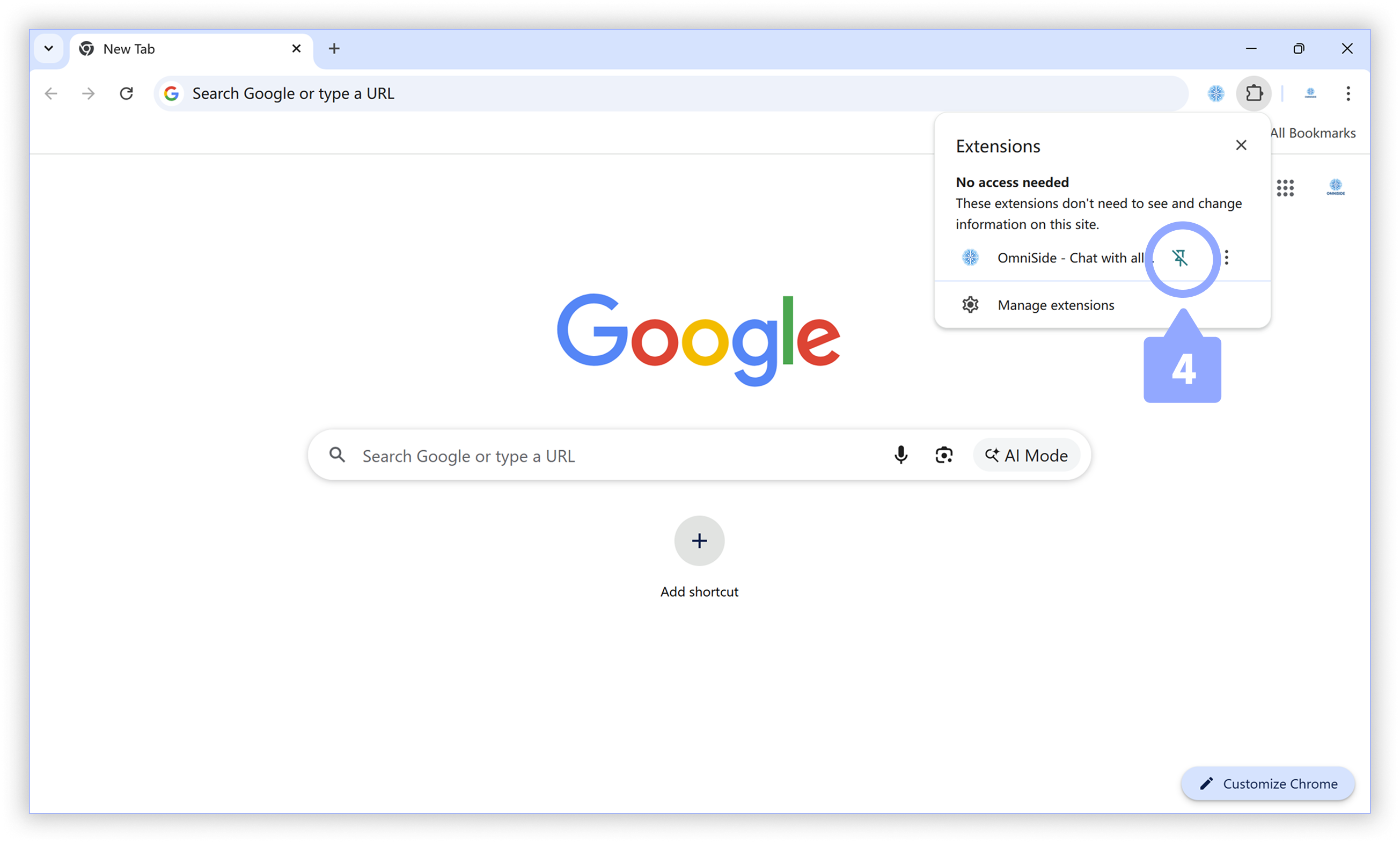
Pin the Extension
Pin the OmniSide extension to the browser toolbar for easy access at any time. When you need to update the extension, simply repeat this process.